An email folder has disappeared from your folders list, and you have searched everywhere for it. Sound familiar?
Don't fret, you are in luck.
Step One - Search
- Search for an email you KNOW is FOR SURE in the folder that has been kidnapped. Make sure to use Search: All Outlook Items.

- Open an email, in its own window, that shows up in the results.
- Press CTRL+Shift+F -> Click Browse ->
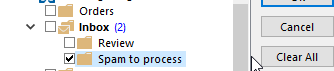
You can see that the folder is hiding under my "inbox" folder. From there move it back to its original location.